


You use Linux, whether you know it or not

Linux powers most of the internet’s servers and is the underlying platform for most cloud infrastructure

The power of many

  • Community driven ecosystem
  • Open-source projects
  • Experience the world of Linux
Server rack with blinking green lights
cable network

Choice

  • 100’s of different distributions
  • Endless customization
  • Perfect for beginners and experts

“Linux is the operating system of choice for anyone who wants to use a computer for something other than running Microsoft Office.”

– Unknown

Watch, Read, Listen


  • Many operating systems, such as Windows, and Mac OS, give you a complete system. They give you a box and you live in it. Linux OS, on the other hand, gives you parts, allowing you to build whatever you want. Linux customizations are crucial in ensuring you get a system that meets your daily needs. 

    Linux customizations are both my hobby and obsession. With Linux, I can modify every layer of the system, from the desktop environment down to the kernel parameters, to match exactly how I work. Linux allows me to have unfiltered control without vendor lock-in. 
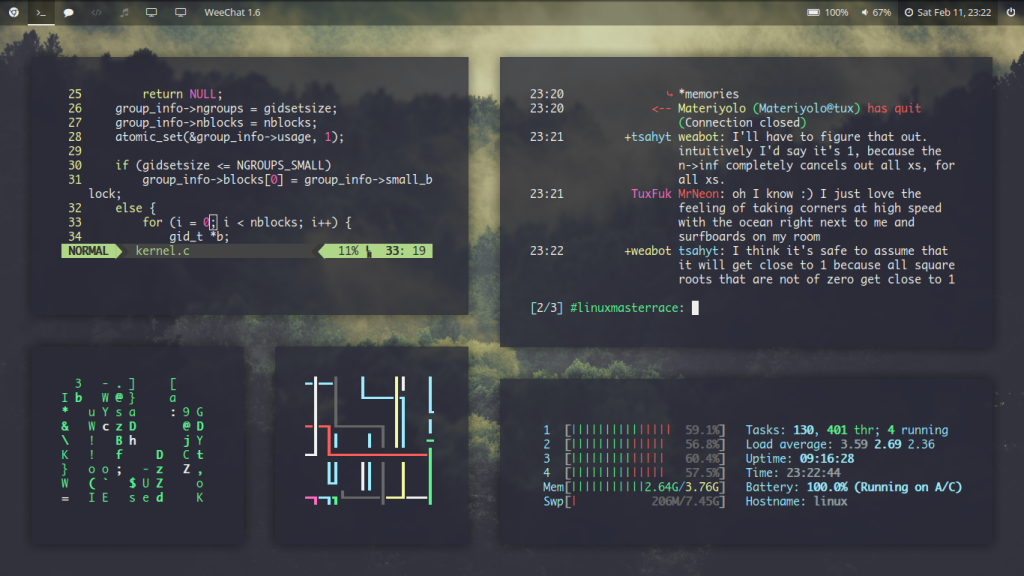
    Amazing Linux Customization

    The Frustration That Started It All

    Before switching to Linux, I was a big Windows user. What made me switch to Linux is the inability of modifying my taskbar further without relying on a third party hack. But the transition process wasn’t smooth. In the first week, I faced broken drivers and a hostile terminal. When I resized my panel and swapped the window manager, I felt ownership of the OS. I hadn’t experienced this feeling before. 

    Everyone who makes this jump, experiences this frustration. And this is the exact pain point Linux customization solves. 

    Why Arch Linux Customization Hits Different

    Before finally landing on one Linux OS, I did a lot of distro-hoping. And I can tell you that there is nothing that compares to Arch Linux customization. With this OS, you have a blank canvas with nothing installed. You have to build it from scratch. 

    Why I keep coming back to Arch Linux:

    • You understand every package because you chose it
    • Rolling releases mean you’re always current
    • The AUR (Arch User Repository) has practically everything
    • Your setup is yours, nobody else’s

    The big advantage of this setup is that when anything breaks, you know how to fix it because you built it up. 

    The Best Linux Customization Tools in My Arsenal

    These are the Linux customization tools I rely on: 

    • i3wm / Hyprland for tiling window managers that eliminate mouse dependency
    • Rofi which is a blazing-fast application launcher
    • Polybar / Waybar for fully scriptable status bars
    • Picom is lightweight compositor for transparency and animations
    • Neovim + custom dotfiles my editor, my rules

    Exploring Linux Customization Options Beyond the Desktop

    Many people think that Linux customizations stop at wallpapers and themes. This is a misconception. Linux customization options go much deeper: 

    • Shell customization: Zsh with Powerlevel10k or Fish for intelligent prompts
    • Boot splash screens: Plymouth themes for a polished startup
    • Font rendering: Infinality patches for crisp typography
    • Kernel tweaks: Custom schedulers for gaming or low-latency audio

    With each layer you customize, you learn more about your system and how it actually works. This gives you ownership of the system, making you get the most out of the software. 

    Linux Customization Final Verdict

    Through Linux customization, I moved from being a passive user into someone who genuinely understands my machine to the core. I now own my system. The customization process is not an easy journey though. However, once you master it, you get a self-tailored system with extensive capabilities that a stock OS cannot offer. 

    My question to you is, what’s one customization you made that changed how you use Linux? Comment below.
  • The Linux vs Windows gaming debate has been going on for several years now. In this article, I am joining this debate and give you my honest reviews.

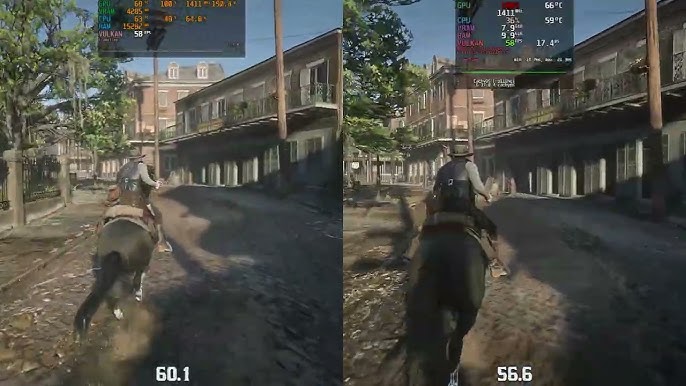
    Red Dead Redemption 2 on Linux Vs Windows Gaming Performance

    So, Where Does Linux Actually Stand in Gaming Today?

    Windows still holds a measurable performance edge in most gaming titles when compared to Linux. However, with Linux’s Valve Proton compatibility layer, Linux is slowly catching up. 

    Linux vs Windows Gaming Key facts:

    • Most Steam titles now run on Linux via Proton
    • Native Linux games still represent a minority of the library
    • Anti-cheat support remains the single biggest barrier

    Linux vs Windows Gaming Performance

    I recently did my own informal Linux vs Windows gaming benchmarks on the same machine. The results were not something I expected. My expectations were that Windows will hold a large advantage over Linux. I found out the opposite. 

    Windows pulled 10% to 15% ahead on open-world titles like Cyberpunk 2077. However, on source engine games, there were negligible differences, and in certain instances, Linux edged ahead. 

    What affects gaming performance most:

    • GPU driver maturity (NVIDIA on Linux is still complicated)
    • Whether the game runs natively or through Proton
    • Your kernel version and scheduler settings

    Linux vs Windows Gaming FPS

    You can notice the Linux vs Windows gaming FPS gap in this gaming titles:

    • AAA titles with heavy DX12 features Windows wins cleanly here
    • Older or indie titles Linux holds its ground confidently here
    • Esports titles with kernel-level anti-cheat Linux can’t even launch them

    Why I Still Game on Linux Anyway

    I prefer gaming on Linux because: 

    • There are no forced updates mid-session
    • There is a cleaner system, less background bloat
    • Wayland + Gamescope is genuinely impressive for HDR and refresh rate handling
    • The community support is some of the best I’ve encountered anywhere in tech

    My Final Take on Linux vs Windows Gaming

    In the Linux vs Windows gaming performance, Windows wins cleanly here. But let me just say Linux is not so far behind. It’s a credible platform to use if your library doesn’t depend on titles with invasive anti-cheat.

    Switch to Linux for gaming if you value privacy and system control. However, don’t switch if competitive FPS is your life. 

    Let me get some feedback from you. Are you gaming on Linux full-time, or does Windows still have you locked in? Drop your experience in the comments. Let’s argue about it properly.


  • In the computing life, one decision that you will have to make is changing your operating system (OS), especially switching to Linux. I have been using Linux for years now, and it’s one of the best decisions I ever made. I have also seen many people quitting back to Windows on the second day of installing Linux. No one prepared them about any potential challenges they will face after switching their OS. 

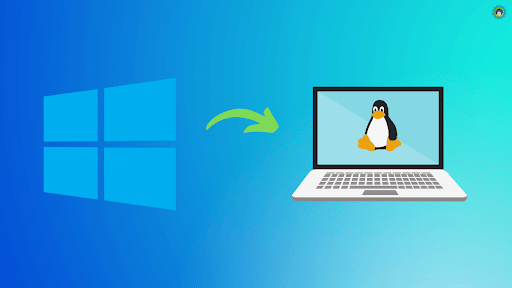
    Switching to Linux from Windows 11

    What Switching to Linux Actually Means for Windows Users

    Switching to Linux from Windows involves a shift in Philosophy. It means you are trading: 

    • Convenience for control 
    • Hand-holding for freedom 

    Switching to Linux is 20% technical and 80% mental. That’s why there are many people who quit Linux on the second day, without giving it a proper run. 

    When switching to Linux, here’s what you’re actually signing up for:

    • Learning a new way to install software
    • Occasionally troubleshooting drivers, especially on laptops
    • Discovering that most of your Windows software has a perfectly good Linux alternative

    Is Switching to Linux Worth It? My Honest Take

    Is switching to linux worth it? Yes it’s worth it. But not for everyone. 

    The first time I tried to compile a Wi-Fi driver at midnight on a deadline, I nearly threw my laptop out the window. This frustration taught me more about how computers work than ten years of clicking through Windows dialogs ever did.

    Switch to Linux if:

    • You value privacy and want to escape Microsoft’s telemetry
    • Your hardware is older and Windows feels bloated on it
    • You’re a developer, student, or anyone who lives in the terminal

    Wait before switching if:

    • You rely heavily on Adobe Creative Suite or specific Windows-only games
    • You’re not comfortable Googling error messages (yet)

    The Biggest Mistakes Windows Users Make When Switching to Linux

    There is a pattern I have noticed in people switching to Linux from Windows. They research on Reddit the best Linux distro and many people recommend Arch Linux. They install the software, and after two or three days, they uninstall it and go back to Windows. 

    My advice:

    • Start with Linux Mint or Ubuntu which are beginner-friendly with massive support communities
    • Dual-boot first without deleting your Windows to give yourself a safety net.
    • Use the terminal daily, even for small things to build muscle memory

    Should You Make the Switch to Linux?

    If you are asking yourself this question, it means you are ready to switch to Linux. Currently, distros are polished, hardware support has improved massively and the Linux community is welcoming (mostly). 

    What I can advise new Linux users is to commit fully. Half-heartedness kills more Linux journeys than any driver issue ever will.

    Have you switched from Windows to Linux? Or are you still thinking about it? Drop your experience in the comments below. I want to know more about your journey.


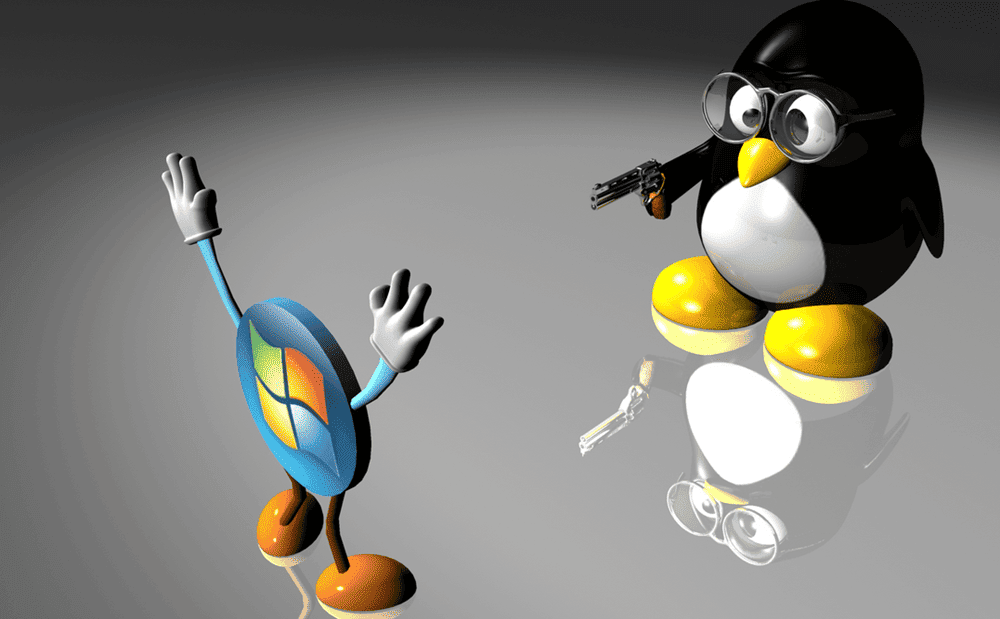
  • I’ll be honest. In earlier days, I would recommend WIndows to people who were looking to just make things work. However, that’s not the case today. The last few years have seen the Linux vs Windows debate shift. Windows now is no longer the default OS. Linux is currently winning the battle in all the important categories, including security, performance, customization, and cost, Linux has already won this battle.

    Linux Vs Windows Debate

    The Playing Field Has Completely Changed

    During my distro-hopping, I have seen Linux move from being a hobbyist curiosity into a daily driver. Today’s distros like Ubuntu, Fedora, and Linux Mint are making the installation experience rival anything Microsoft ships. Gaming on Linux? Thousands of Windows titles can now be successfully executed by Steam with no tweaking of the Proton layer.

    Key shift: The argument that Linus is too hard died when:

    • The Linux terminal became optional, not mandatory
    • Hardware compatibility improved dramatically
    • App ecosystems like Flatpak and Snap matured overnight

    Linux vs Windows 11: Microsoft Blinked First

    Recently, I upgraded one of my machines to Windows 11. I had to deal with TPM requirements, mandatory Microsoft account sign-ins, and ads included into the Start menu. Imagine getting Ads in an OS you have paid for. That doesn’t sound right at all. 

    When it comes to resource utilization, Linux vs Windows 11 is not even a debate. To install Windows 11 and ensure it runs smoothly the minimum storage requirements is 4GB. However, with Linux 1GB RAM storage is sufficient. 

    Bottom line: Windows 11 feels like a service you rent. Linux feels like a tool you own.

    Linux vs Windows Security

    The first time I watched a Windows machine get hit by ransomware I stopped arguing about linux vs windows security. The machine had all the latest security updates installed, and yet couldn’t keep out ransomware. 

    Linux’s security advantages are structural, not cosmetic:

    • Open-source code means vulnerabilities are spotted and patched faster
    • Permission architecture limits what malicious software can actually do
    • No forced telemetry sending your data to corporate servers by default

    Windows is the world’s biggest target for ransomware attacks. And its architecture makes it harder to defend.

    Linux vs Windows vs Mac

    When you zoom out to Linux vs Windows vs Mac, you’re really choosing a philosophy:

    • Windows provides convenience with corporate strings attached
    • macOS provides polished but locked to expensive hardware
    • Linux provides freedom, transparency, and total control

    I have professionally used all the three operating systems. However, I keep coming back to Linux because I feel it respects my time and my intelligence.

    Linux vs Windows Debate Final Thoughts

    Linux beat Windows without becoming another Windows. It stayed true to its philosophy, an operating system that is faster, secure and respects its users. If you haven’t tried out Linux, try a live USB session of Linux Mint. You don’t have to install it. The results will make you not want to go back to Windows.

Join 2+ subscribers

Stay in the loop with everything you need to know about Linux