Linux package management is the backbone of every Linux system. To get the most out of your system, you must first understand how to use it. If you are new to Linux, Linux package management is a tool for installing, updating, and removing software from the OS. The tool automatically fixes any dependencies, ensuring everything works perfectly together.
Why Most Linux Users Struggle With Package Management
A mistake that many beginners using Linux make is treating the package manager like a vending machine. They just type commands blindly and hope for the best. They forget what you feed into the system, is what you’ll get out of the system, resulting in:
- Unresolved dependencies that spiral into chaos
- Mixed package sources that break system stability
- Manual installs that create orphaned packages nobody tracks
Once you start treating your Linux package management system as a living, breathing part of your OS, you will start experiencing success in your projects. You will start building systems that actually work.
The Linux Package Management Commands You Actually Need
One way to waste your time is trying to compile software from source without understanding repositories. The following Linux package management commands are worth memorizing:
- apt install / apt update / apt upgrade—For Debian/Ubuntu users, this is your daily driver
- dnf install / dnf upgrade—This is the modern standard for Fedora/RHEL
- pacman -Syu—Arch Linux’s elegant, rolling-release powerhouse
- snap install / flatpak install—Universal formats, cross-distro compatibility
A valuable tip: Always run a system update before you install new packages.
The Hidden Key is Understanding Repositories
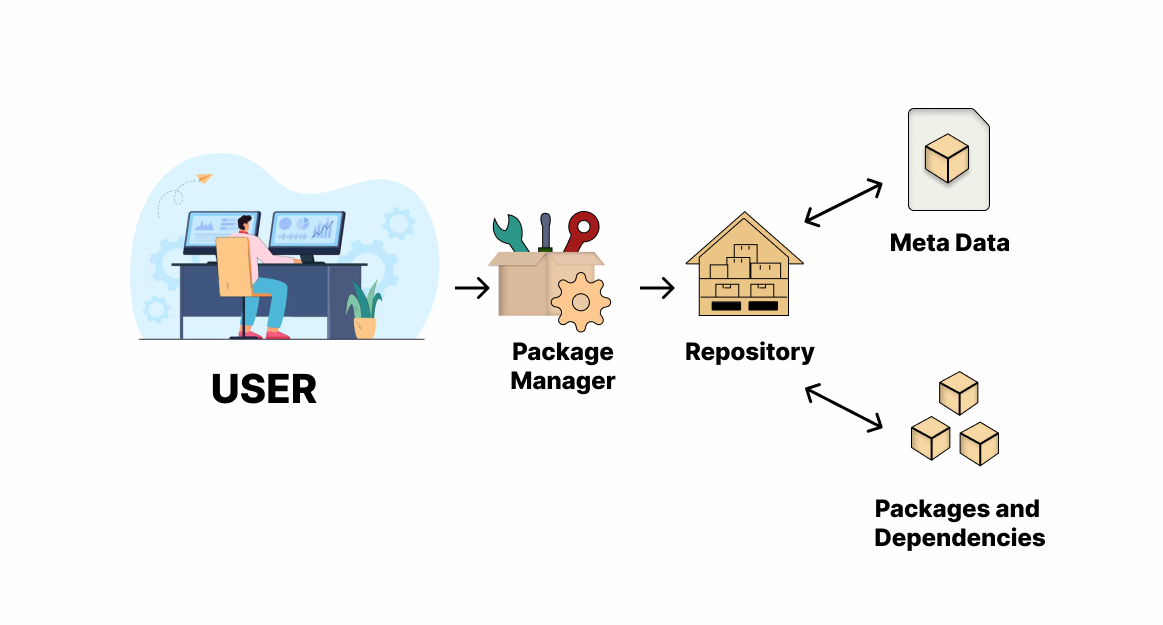
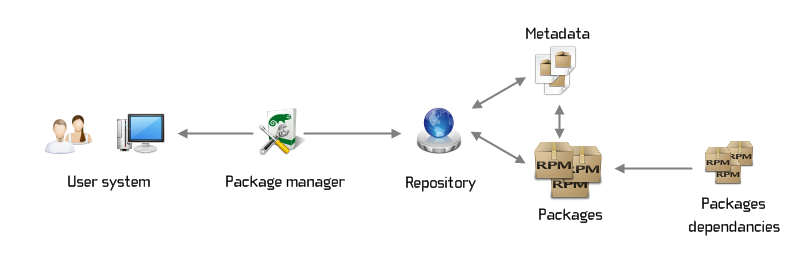
A package manager pulls software from repositories—curated, trusted sources. Avoid adding third-party PPAs or repos to prevent destabilizing your system. Stick to official repos. Only add extras once you understand tradeoffs associated with those.
The Best Linux Package Management Tools Right Now
These are examples of the best modern linux package management tools:
- Flatpak—Sandboxed, universal, excellent for desktop apps
- Snap—Canonical’s answer to cross-distro packaging
- Homebrew on Linux—Yes, it works. Yes, it’s genuinely useful
- Nix—Steep learning curve, but reproducible builds are magic
Stop Fighting the Package Manager
Mastering Linux package management is what will make you productive on Linux faster. Before you start branching out, first master your distro’s native tools. Read man pages, understand repositories, and purposely break a VM just to fix it. This is how you will move from a frustrated tinkerer to someone who actually trusts their system.
As usual, I want to know what your go-to package management set up. Let me know in the comment section below.